Tutoriál 1 — Bounce
Postavíme hru typu Breakout po jednom herním mechanismu. Každý soubor stepN_*.py běží samostatně a můžeš ho spustit takto:
Spouštěj je ze složky naklonovaného projektu picogame (té z Tvoje první hra).
python3 sim/run.py tutorials/01-bounce/stepN_name.py --shot /tmp/out.png(přidej --hold RIGHT apod. pro podržení tlačítka, nebo --backend pygame, ať si to zahraješ naživo.)
Celý zdrojový kód najdeš na GitHubu.
Prvních osm kroků používá generované obdélníky. Poslední krok vymění jejich bitmapy bez změny herní smyčky. Oddělení grafiky od mechanik také umožní editoru změnit vzhled scény bez zásahu do herního kódu.
Krok 1 — step1_hello.py · vykreslovací smyčka
Sekce “Krok 1 — step1_hello.py · vykreslovací smyčka”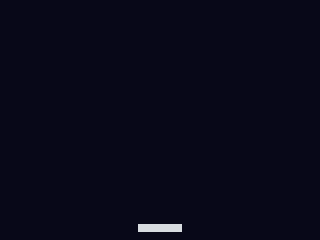 picogame používá retained režim: objekty jednou přidáš do
 Scene přes scene.add(), potom měníš jejich stav a voláš scene.refresh(). Pádlo je Sprite s obdélníkovou bitmapou z shp.rect(w, h, colour) modulu picogame_shapes. picogame_game.setup() nastaví displej a vrátí (scene, buffer_a, buffer_b). Na SPI cíli jsou poslední dvě hodnoty vykreslovací pásy, na framebufferu mají hodnotu None. Tento krok potřebuje jen scénu, proto používá scene, _, _. Clock(40) z picogame_clock omezí smyčku na 40 FPS.
Uvidíš: šedý pruh u spodního okraje. Zkus si: změnit velikost/barvu obdélníku.
16 collapsed lines
# Bounce -- step 1: get ONE thing on screen.## What you learn: the picogame render loop. A game is (a) a Scene you add objects# to ONCE, then (b) a loop that moves things and calls scene.refresh(). The engine# is retained-mode: you don't redraw by hand, you change object state and refresh.## New in this step: picogame_game.setup(), picogame_shapes.rect(), pg.Sprite,# scene.add(), scene.refresh(), the frame clock.## Run it: python3 sim/run.py tutorials/01-bounce/step1_hello.py --shot /tmp/s1.png# On device: copy this file + the lib/ helpers to CIRCUITPY.
import picogame as pgimport picogame_gameimport picogame_clockimport picogame_shapes as shp
W, H = picogame_game.screen() # never hardcode: the same game runs at 240x240 and 640x480PADDLE_W, PADDLE_H = 44, 8
# setup() takes over the display and gives us a Scene + its two strip buffers.scene, _, _ = picogame_game.setup(background=pg.rgb565(8, 10, 24))clock = picogame_clock.Clock(40) # cap the loop to 40 FPS
# A "paddle" is just a Sprite whose bitmap is a solid rectangle. shp.rect(w,h,color)# makes that bitmap -- a rectangle and an image sprite are the SAME kind of object# (we'll prove that in step 9 by swapping the bitmap for art, with no other change).paddle = pg.Sprite(shp.rect(PADDLE_W, PADDLE_H, pg.rgb565(220, 220, 230)), (W - PADDLE_W) // 2, H - 16)
scene.add(paddle) # add it to the scene ONCE
while True: scene.refresh() # the engine draws the scene clock.tick() # sleep to the next frameKrok 2 — step2_move.py · vstup
Sekce “Krok 2 — step2_move.py · vstup”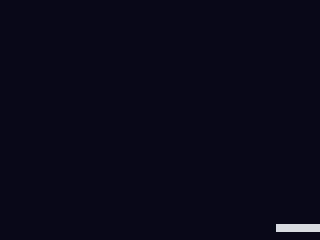
Buttons() z modulu picogame_input při každém poll() načte stav tlačítek. is_pressed(RIGHT) - is_pressed(LEFT) je úhledná osa −1/0/+1; pádlo posuneme a omezíme ho dovnitř obrazovky.
Uvidíš: pádlo jezdí pomocí LEFT/RIGHT. Zkus si: změnit SPEED.
16 collapsed lines
# Bounce -- step 2: move the paddle with the buttons.## What you learn: input. picogame_input.Buttons reads the board's buttons into a# bitmask each frame; btn.is_pressed(btn.LEFT) is the held state. We move the paddle# and clamp it to the screen so it can't leave.## New vs step 1: picogame_input.Buttons, btn.poll()/btn.is_pressed(), sprite.move(),# clamping with max()/min().## Run: python3 sim/run.py tutorials/01-bounce/step2_move.py --hold RIGHT --shot /tmp/s2.png
import picogame as pgimport picogame_gameimport picogame_inputimport picogame_clockimport picogame_shapes as shp
W, H = picogame_game.screen() # never hardcode: the same game runs at 240x240 and 640x480PADDLE_W, PADDLE_H = 44, 8SPEED = 5
scene, _, _ = picogame_game.setup(background=pg.rgb565(8, 10, 24))btn = picogame_input.Buttons() # NEW: the buttonsclock = picogame_clock.Clock(40)
paddle = pg.Sprite(shp.rect(PADDLE_W, PADDLE_H, pg.rgb565(220, 220, 230)), (W - PADDLE_W) // 2, H - 16)scene.add(paddle)
while True: btn.poll() # sample the buttons once per frame # RIGHT minus LEFT gives -1 / 0 / +1 -- a tidy way to read a 1-axis control. delta_x = btn.is_pressed(btn.RIGHT) - btn.is_pressed(btn.LEFT) if delta_x: x = paddle.x + delta_x * SPEED x = max(0, min(W - PADDLE_W, x)) # clamp inside the screen paddle.move(x, paddle.y)
scene.refresh() clock.tick()Krok 3 — step3_ball.py · rychlost v celých pixelech
Sekce “Krok 3 — step3_ball.py · rychlost v celých pixelech”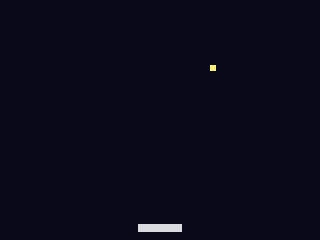 Rychlost zde určuje počet pixelů za snímek:
 velocity_x vodorovně a velocity_y svisle. Po přičtení rychlosti k pozici v každém snímku letí míček po přímce. Tento krok používá pouze celá čísla.
Uvidíš: míček odletí mimo obrazovku (to opravíme v dalším kroku). Zkus si: změnit velocity_x, velocity_y.
17 collapsed lines
# Bounce -- step 3: a ball with velocity (whole-pixel movement).## What you learn: velocity. Velocity is just how many pixels a thing moves each# frame: velocity_x across, velocity_y down. Add the velocity to the ball's# position every frame and it travels in a straight line. Here we move in WHOLE# pixels -- integer velocity, integer position -- which is all this step needs.## New vs step 2: a velocity (velocity_x, velocity_y) added to ball.x / ball.y each# frame. The ball flies off-screen for now -- step 4 makes it bounce.## Run: python3 sim/run.py tutorials/01-bounce/step3_ball.py --shot /tmp/s3.png
import picogame as pgimport picogame_gameimport picogame_inputimport picogame_clockimport picogame_shapes as shp
W, H = picogame_game.screen() # never hardcode: the same game runs at 240x240 and 640x480PADDLE_W, PADDLE_H = 44, 8BALL = 6
scene, _, _ = picogame_game.setup(background=pg.rgb565(8, 10, 24))btn = picogame_input.Buttons()clock = picogame_clock.Clock(40)
paddle = pg.Sprite(shp.rect(PADDLE_W, PADDLE_H, pg.rgb565(220, 220, 230)), (W - PADDLE_W) // 2, H - 16)ball = pg.Sprite(shp.rect(BALL, BALL, pg.rgb565(255, 240, 120)), W // 2, H // 2)scene.add(paddle)scene.add(ball)
velocity_x, velocity_y = 3, -3 # NEW: whole pixels moved per frame
while True: btn.poll() delta_x = btn.is_pressed(btn.RIGHT) - btn.is_pressed(btn.LEFT) if delta_x: paddle.move(max(0, min(W - PADDLE_W, paddle.x + delta_x * 5)), paddle.y)
# move the ball by its velocity (whole pixels) ball.move(ball.x + velocity_x, ball.y + velocity_y)
scene.refresh() clock.tick()Krok 4 — step4_walls.py · odraz
Sekce “Krok 4 — step4_walls.py · odraz”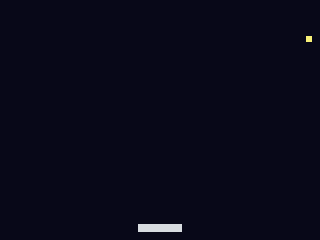 Při odrazu změň znaménko složky rychlosti kolmé ke zdi a vrať míček na její okraj, aby neprošel skrz. Levá a pravá stěna mění
 velocity_x, horní stěna velocity_y. Spodní okraj zůstává otevřený a propadnutí znamená ztrátu míčku.
Uvidíš: míček se navždy odráží mezi třemi zdmi. Zkus si: udělat otevřený i vršek a sleduj, jak uteče.
17 collapsed lines
# Bounce -- step 4: bounce off the walls.## What you learn: reflection. A bounce is just flipping the velocity component that# points into the wall, and pinning the position back to the edge so the ball can't# tunnel out. Left/right flip velocity_x; the top flips velocity_y. We're still# moving in whole pixels (integer velocity). We leave the BOTTOM open -- a ball that# falls past it is a missed ball (step 5 turns that into "lose a life").## New vs step 3: edge tests against ball.x/.y, inverting velocity_x/velocity_y on contact.## Run: python3 sim/run.py tutorials/01-bounce/step4_walls.py --shot /tmp/s4.png
import picogame as pgimport picogame_gameimport picogame_inputimport picogame_clockimport picogame_shapes as shp
W, H = picogame_game.screen() # never hardcode: the same game runs at 240x240 and 640x480PADDLE_W, PADDLE_H = 44, 8BALL = 6
scene, _, _ = picogame_game.setup(background=pg.rgb565(8, 10, 24))btn = picogame_input.Buttons()clock = picogame_clock.Clock(40)
paddle = pg.Sprite(shp.rect(PADDLE_W, PADDLE_H, pg.rgb565(220, 220, 230)), (W - PADDLE_W) // 2, H - 16)ball = pg.Sprite(shp.rect(BALL, BALL, pg.rgb565(255, 240, 120)), W // 2, H // 2)scene.add(paddle)scene.add(ball)
velocity_x, velocity_y = 3, -3
while True: btn.poll() delta_x = btn.is_pressed(btn.RIGHT) - btn.is_pressed(btn.LEFT) if delta_x: paddle.move(max(0, min(W - PADDLE_W, paddle.x + delta_x * 5)), paddle.y)
ball.move(ball.x + velocity_x, ball.y + velocity_y)
# walls: flip the component heading into the wall, and pin to the edge if ball.x < 0: ball.move(0, ball.y) velocity_x = -velocity_x elif ball.x > W - BALL: ball.move(W - BALL, ball.y) velocity_x = -velocity_x if ball.y < 0: ball.move(ball.x, 0) velocity_y = -velocity_y
scene.refresh() clock.tick()Krok 5 — step5_paddle.py · kolize obdélníků a pocit ze hry
Sekce “Krok 5 — step5_paddle.py · kolize obdélníků a pocit ze hry”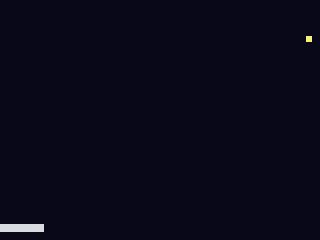
pg.collide(ax1,ay1,ax2,ay2, bx1,by1,bx2,by2) je rychlý test překryvu obdélníků (AABB, axis-aligned bounding box, tedy nenatočený obdélník): jen zkontroluje, jestli se dva pravoúhlé rámečky překrývají. Při zásahu pádla (jen když míček letí dolů) ho pošleme nahoru a poťukneme velocity_x podle toho, kam na pádlo dopadl, takže můžeš mířit. Tenhle proměnlivý úhel odrazu je důvod, proč teď potřebujeme sub-pixelový pohyb: nasměrovaný míček letí rychlostí třeba 1,4 px/snímek, zlomky pixelu, které celá čísla neumí vyjádřit. Míček si proto teď drží sub-pixelovou pozici v ball.fx/ball.fy (floaty) a má rychlost ve floatu; ball.x/ball.y jsou jen tyhle hodnoty zaokrouhlené na celé pixely pro kreslení a kolize. Propadnutí pod spodek stojí život a znovu naservíruje míček.
Uvidíš: výměnu, kterou můžeš udržet ve hře. Zkus si: změnit řídicí faktor 0.06.
21 collapsed lines
# Bounce -- step 5: the paddle hits the ball, and you can miss.## What you learn: box collision + a control-feel trick, and WHY we now need# sub-pixel movement. pg.collide(ax1,ay1,ax2,ay2, bx1,by1,bx2,by2) is a fast# axis-aligned overlap test. On a paddle hit we send the ball upward and steer it# by WHERE on the paddle it landed -- so you can aim. That variable bounce angle# means the ball must travel at speeds like 1.4 px/frame: FRACTIONS of a pixel,# which whole-pixel integers can't express. So the ball now keeps a sub-pixel# position in ball.fx / ball.fy (floats) and a float velocity; ball.x / ball.y are# just those values rounded to whole pixels for drawing and collision.## New vs step 4: ball.fx/.fy + float velocity, pg.collide, steering the bounce by# hit offset, lives + reset.## Run: python3 sim/run.py tutorials/01-bounce/step5_paddle.py --hold LEFT --shot /tmp/s5.png
import picogame as pgimport picogame_gameimport picogame_inputimport picogame_clockimport picogame_shapes as shp
W, H = picogame_game.screen() # never hardcode: the same game runs at 240x240 and 640x480PADDLE_W, PADDLE_H = 44, 8BALL = 6
scene, _, _ = picogame_game.setup(background=pg.rgb565(8, 10, 24))btn = picogame_input.Buttons()clock = picogame_clock.Clock(40)
paddle = pg.Sprite(shp.rect(PADDLE_W, PADDLE_H, pg.rgb565(220, 220, 230)), (W - PADDLE_W) // 2, H - 16)ball = pg.Sprite(shp.rect(BALL, BALL, pg.rgb565(255, 240, 120)), W // 2, H // 2)scene.add(paddle)scene.add(ball)
velocity_x, velocity_y = 2.4, -2.6 # NEW: float velocity (fractions of a pixel)lives = 3
def serve(): global velocity_x, velocity_y ball.move(W // 2, H // 2) velocity_x, velocity_y = 2.4, -2.6
while True: btn.poll() delta_x = btn.is_pressed(btn.RIGHT) - btn.is_pressed(btn.LEFT) if delta_x: paddle.move(max(0, min(W - PADDLE_W, paddle.x + delta_x * 5)), paddle.y)
# integrate the float velocity into the ball's sub-pixel position ball.fx += velocity_x ball.fy += velocity_y if ball.fx < 0: ball.fx = 0; velocity_x = -velocity_x elif ball.fx > W - BALL: ball.fx = W - BALL; velocity_x = -velocity_x if ball.fy < 0: ball.fy = 0; velocity_y = -velocity_y
# paddle bounce: only when moving DOWN and the boxes overlap if velocity_y > 0 and pg.collide(ball.x, ball.y, ball.x + BALL, ball.y + BALL, paddle.x, paddle.y, paddle.x + PADDLE_W, paddle.y + PADDLE_H): velocity_y = -abs(velocity_y) # steer: distance of ball centre from paddle centre -> sideways speed velocity_x += (ball.x + BALL / 2 - (paddle.x + PADDLE_W / 2)) * 0.06
if ball.fy > H: # missed the ball lives -= 1 if lives <= 0: lives = 3 serve()
scene.refresh() clock.tick()Krok 6 — step6_bricks.py · Tilemap
Sekce “Krok 6 — step6_bricks.py · Tilemap”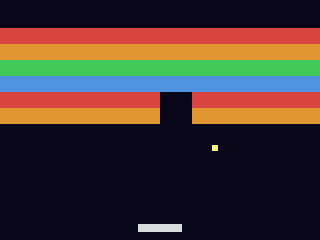
Tilemap je mřížka buněk, které odkazují na snímky jedné bitmapy tilesetu. Mapa ukládá jeden bajt na buňku, místo samostatného spritu pro každou cihlu. shp.tileset_colors(w, h, [colours]) vytvoří tileset, kde hodnota 0 znamená prázdnou buňku a 1 až N jednotlivé barvy. Souřadnici míčku převeď na buňku (tile_x = pixel_x // BRICK_W), načti její hodnotu a nulou cihlu odstraň. Po vyčištění celé zdi ji znovu naplň.
Uvidíš: zeď 10×6, kterou rozbíjíš. Zkus si: změnit ROWS nebo barvy cihel.
17 collapsed lines
# Bounce -- step 6: a wall of bricks (a Tilemap).## What you learn: the Tilemap. A grid of tiles backed by ONE bitmap (a tileset),# stored as 1 byte per cell -- far cheaper than a Sprite per brick. We build the# tileset with shp.tileset_colors (frame 0 = empty, 1..4 = colours), fill the grid,# and on a ball hit we find the tile under the ball, read it, and set it to 0 to# clear it. Map a pixel to a tile with tx = (px - origin_x) // tile_w.## New vs step 5: pg.Tilemap, shp.tileset_colors, pixel->tile mapping, clearing a tile.## Run: python3 sim/run.py tutorials/01-bounce/step6_bricks.py --shot /tmp/s6.png
import picogame as pgimport picogame_gameimport picogame_inputimport picogame_clockimport picogame_shapes as shp
W, H = picogame_game.screen() # never hardcode: the same game runs at 240x240 and 640x480PADDLE_W, PADDLE_H = 44, 8BALL = 6BRICK_W, BRICK_H = 32, 16 # brick (tile) sizeCOLS, ROWS = W // BRICK_W, 6 # 10 x 6 wallBRICK_Y = 28 # wall top (leaves a HUD strip)
scene, _, _ = picogame_game.setup(background=pg.rgb565(8, 10, 24))btn = picogame_input.Buttons()clock = picogame_clock.Clock(40)
# tileset: value 0 empty, 1..4 = four brick coloursbrick_colors = [pg.rgb565(220, 70, 70), pg.rgb565(230, 150, 50), pg.rgb565(70, 200, 90), pg.rgb565(80, 150, 230)]bricks = pg.Tilemap(shp.tileset_colors(BRICK_W, BRICK_H, brick_colors), COLS, ROWS)bricks.move(0, BRICK_Y)
def build_wall(): global bricks_left for tile_y in range(ROWS): for tile_x in range(COLS): bricks.set_tile(tile_x, tile_y, 1 + (tile_y % 4)) # row -> colour 1..4 bricks_left = COLS * ROWS
build_wall()paddle = pg.Sprite(shp.rect(PADDLE_W, PADDLE_H, pg.rgb565(220, 220, 230)), (W - PADDLE_W) // 2, H - 16)ball = pg.Sprite(shp.rect(BALL, BALL, pg.rgb565(255, 240, 120)), W // 2, H // 2)scene.add(bricks) # add the wall first (drawn under the ball)scene.add(paddle)scene.add(ball)
velocity_x, velocity_y = 2.4, -2.6lives = 3
def serve(): global velocity_x, velocity_y ball.move(W // 2, H // 2) velocity_x, velocity_y = 2.4, -2.6
20 collapsed lines
while True: btn.poll() delta_x = btn.is_pressed(btn.RIGHT) - btn.is_pressed(btn.LEFT) if delta_x: paddle.move(max(0, min(W - PADDLE_W, paddle.x + delta_x * 5)), paddle.y)
ball.fx += velocity_x ball.fy += velocity_y if ball.fx < 0: ball.fx = 0; velocity_x = -velocity_x elif ball.fx > W - BALL: ball.fx = W - BALL; velocity_x = -velocity_x if ball.fy < 0: ball.fy = 0; velocity_y = -velocity_y
if velocity_y > 0 and pg.collide(ball.x, ball.y, ball.x + BALL, ball.y + BALL, paddle.x, paddle.y, paddle.x + PADDLE_W, paddle.y + PADDLE_H): velocity_y = -abs(velocity_y) velocity_x += (ball.x + BALL / 2 - (paddle.x + PADDLE_W / 2)) * 0.06
# brick hit: the tile under the ball's centre center_x, center_y = ball.x + BALL // 2, ball.y + BALL // 2 tile_x = center_x // BRICK_W tile_y = (center_y - BRICK_Y) // BRICK_H if 0 <= tile_x < COLS and 0 <= tile_y < ROWS and bricks.get_tile(tile_x, tile_y): bricks.set_tile(tile_x, tile_y, 0) # clear the brick bricks_left -= 1 velocity_y = -velocity_y if bricks_left == 0: # cleared the wall -> rebuild build_wall() serve()
if ball.fy > H: lives -= 1 if lives <= 0: lives = 3 build_wall() serve()
scene.refresh() clock.tick()Krok 7 — step7_hud.py · text a stavová lišta
Sekce “Krok 7 — step7_hud.py · text a stavová lišta”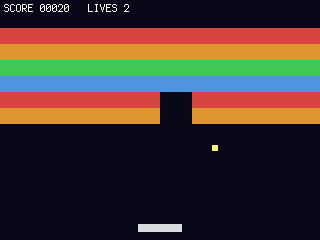
SceneLabel z modulu picogame_ui vykreslí text do scény jako fixní vrstvu (kreslí ji refresh() a je nezávislá na kameře, hodí se, jakmile se svět začne posouvat). Používá přibalený terminalio.FONT, takže žádný font jako asset. label.set(...) překreslí jen tehdy, když se text změní.
Uvidíš: SCORE / LIVES přes horní okraj. Zkus si: přidat počet cihel.
21 collapsed lines
# Bounce -- step 7: a score + lives status bar.## What you learn: text / HUD. picogame_ui.SceneLabel renders text into the scene as a# "fixed" layer -- it's drawn by scene.refresh() like everything else, and (because# it's fixed) it would stay put even if the world scrolled (it doesn't here, but# you'll want that in a platformer). It uses the bundled terminalio.FONT, so no font# asset is needed. Call label.set(...) each frame; it only re-renders when the text# actually changes.## New vs step 6: terminalio.FONT, picogame_ui.SceneLabel, a running score.## Run: python3 sim/run.py tutorials/01-bounce/step7_hud.py --shot /tmp/s7.png
import terminalioimport picogame as pgimport picogame_gameimport picogame_inputimport picogame_clockimport picogame_shapes as shpimport picogame_ui as ui
W, H = picogame_game.screen() # never hardcode: the same game runs at 240x240 and 640x480PADDLE_W, PADDLE_H = 44, 8BALL = 6BRICK_W, BRICK_H = 32, 16COLS, ROWS = W // BRICK_W, 6BRICK_Y = 28BACKGROUND = pg.rgb565(8, 10, 24)
scene, _, _ = picogame_game.setup(background=BACKGROUND)btn = picogame_input.Buttons()clock = picogame_clock.Clock(40)
brick_colors = [pg.rgb565(220, 70, 70), pg.rgb565(230, 150, 50), pg.rgb565(70, 200, 90), pg.rgb565(80, 150, 230)]bricks = pg.Tilemap(shp.tileset_colors(BRICK_W, BRICK_H, brick_colors), COLS, ROWS)bricks.move(0, BRICK_Y)
def build_wall(): global bricks_left for tile_y in range(ROWS): for tile_x in range(COLS): bricks.set_tile(tile_x, tile_y, 1 + (tile_y % 4)) bricks_left = COLS * ROWS
build_wall()paddle = pg.Sprite(shp.rect(PADDLE_W, PADDLE_H, pg.rgb565(220, 220, 230)), (W - PADDLE_W) // 2, H - 16)ball = pg.Sprite(shp.rect(BALL, BALL, pg.rgb565(255, 240, 120)), W // 2, H // 2)scene.add(bricks)scene.add(paddle)scene.add(ball)# NEW: a HUD label. Adding it to the scene happens inside SceneLabel (as a fixed layer).hud = ui.SceneLabel(scene, pg, terminalio.FONT, 4, 2, pg.rgb565(255, 255, 255), BACKGROUND)
velocity_x, velocity_y = 2.4, -2.6score = 0lives = 3
def serve(): global velocity_x, velocity_y ball.move(W // 2, H // 2) velocity_x, velocity_y = 2.4, -2.6
while True: btn.poll() delta_x = btn.is_pressed(btn.RIGHT) - btn.is_pressed(btn.LEFT) if delta_x: paddle.move(max(0, min(W - PADDLE_W, paddle.x + delta_x * 5)), paddle.y)
17 collapsed lines
ball.fx += velocity_x ball.fy += velocity_y if ball.fx < 0: ball.fx = 0; velocity_x = -velocity_x elif ball.fx > W - BALL: ball.fx = W - BALL; velocity_x = -velocity_x if ball.fy < 0: ball.fy = 0; velocity_y = -velocity_y
if velocity_y > 0 and pg.collide(ball.x, ball.y, ball.x + BALL, ball.y + BALL, paddle.x, paddle.y, paddle.x + PADDLE_W, paddle.y + PADDLE_H): velocity_y = -abs(velocity_y) velocity_x += (ball.x + BALL / 2 - (paddle.x + PADDLE_W / 2)) * 0.06
center_x, center_y = ball.x + BALL // 2, ball.y + BALL // 2 tile_x, tile_y = center_x // BRICK_W, (center_y - BRICK_Y) // BRICK_H if 0 <= tile_x < COLS and 0 <= tile_y < ROWS and bricks.get_tile(tile_x, tile_y): bricks.set_tile(tile_x, tile_y, 0) bricks_left -= 1 score += 10 # NEW: score on a hit velocity_y = -velocity_y if bricks_left == 0: build_wall() serve()
if ball.fy > H: lives -= 1 if lives <= 0: lives = 3 score = 0 build_wall() serve()
hud.set("SCORE %05d LIVES %d" % (score, lives)) # update text, then draw it scene.refresh() # draws the scene incl. the HUD clock.tick()Krok 8 — step8_particles.py · odezva zásahu pomocí částic a zvuku
Sekce “Krok 8 — step8_particles.py · odezva zásahu pomocí částic a zvuku”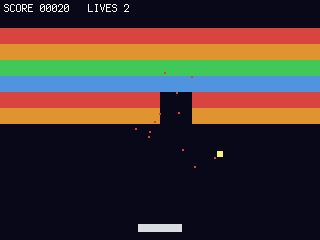 Částice a zvuk zvýrazní rozbití cihly.
 Particles vytvoří výbuch přes emit(x, y, count, speed, life, colour) a v každém snímku se posune přes tick(). Barva částic odpovídá cihle. picogame_audio.tone() vytvoří krátké pípnutí bez souboru .wav. Zvuková inicializace je obalená v try/except, takže hra pokračuje i bez zvukového výstupu.
Uvidíš: barevné jiskry + (na hardwaru) blip. Zkus si: změnit count/gravity u částic.
22 collapsed lines
# Bounce -- step 8: juice (particles + sound).## What you learn: feedback that makes a hit feel good. pg.Particles is a cheap# burst system: emit(x, y, count, speed, life, colour) spawns particles, tick()# advances them (with gravity), and the scene draws them. We burst on every brick# break, in the brick's colour. And picogame_audio.tone() builds a short square-wave# beep with no .wav file -- a tiny blip on each hit. (Audio is wrapped in try/except# so it degrades gracefully where there's no audio output, e.g. the simulator.)## New vs step 7: pg.Particles (emit/tick), picogame_audio.tone() + Audio().sfx()# (a blip on each hit and a low tone when you miss the ball).## Run: python3 sim/run.py tutorials/01-bounce/step8_particles.py --shot /tmp/s8.png
import terminalioimport picogame as pgimport picogame_gameimport picogame_inputimport picogame_clockimport picogame_shapes as shpimport picogame_ui as ui
W, H = picogame_game.screen() # never hardcode: the same game runs at 240x240 and 640x480PADDLE_W, PADDLE_H = 44, 8BALL = 6BRICK_W, BRICK_H = 32, 16COLS, ROWS = W // BRICK_W, 6BRICK_Y = 28BACKGROUND = pg.rgb565(8, 10, 24)
scene, _, _ = picogame_game.setup(background=BACKGROUND)btn = picogame_input.Buttons()clock = picogame_clock.Clock(40)
# optional audio: a beep on each hit (no asset needed). None if no audio backend.try: import picogame_audio audio = picogame_audio.Audio() blip = picogame_audio.tone(660, 35) lose = picogame_audio.tone(150, 160) # low tone when a ball is missedexcept Exception: audio = None blip = lose = None
brick_colors = [pg.rgb565(220, 70, 70), pg.rgb565(230, 150, 50), pg.rgb565(70, 200, 90), pg.rgb565(80, 150, 230)]brick_ts = shp.tileset_colors(BRICK_W, BRICK_H, brick_colors)bricks = pg.Tilemap(brick_ts, COLS, ROWS)bricks.move(0, BRICK_Y)
def build_wall(): global bricks_left for tile_y in range(ROWS): for tile_x in range(COLS): bricks.set_tile(tile_x, tile_y, 1 + (tile_y % 4)) bricks_left = COLS * ROWS
build_wall()paddle = pg.Sprite(shp.rect(PADDLE_W, PADDLE_H, pg.rgb565(220, 220, 230)), (W - PADDLE_W) // 2, H - 16)ball = pg.Sprite(shp.rect(BALL, BALL, pg.rgb565(255, 240, 120)), W // 2, H // 2)particles = pg.Particles(96, size=2, gravity=0.12) # NEWscene.add(bricks)scene.add(particles) # behind paddle+ballscene.add(paddle)scene.add(ball)35 collapsed lines
hud = ui.SceneLabel(scene, pg, terminalio.FONT, 4, 2, pg.rgb565(255, 255, 255), BACKGROUND)
velocity_x, velocity_y = 2.4, -2.6score = 0lives = 3
def serve(): global velocity_x, velocity_y ball.move(W // 2, H // 2) velocity_x, velocity_y = 2.4, -2.6
while True: btn.poll() delta_x = btn.is_pressed(btn.RIGHT) - btn.is_pressed(btn.LEFT) if delta_x: paddle.move(max(0, min(W - PADDLE_W, paddle.x + delta_x * 5)), paddle.y)
ball.fx += velocity_x ball.fy += velocity_y if ball.fx < 0: ball.fx = 0; velocity_x = -velocity_x elif ball.fx > W - BALL: ball.fx = W - BALL; velocity_x = -velocity_x if ball.fy < 0: ball.fy = 0; velocity_y = -velocity_y
if velocity_y > 0 and pg.collide(ball.x, ball.y, ball.x + BALL, ball.y + BALL, paddle.x, paddle.y, paddle.x + PADDLE_W, paddle.y + PADDLE_H): velocity_y = -abs(velocity_y) velocity_x += (ball.x + BALL / 2 - (paddle.x + PADDLE_W / 2)) * 0.06
center_x, center_y = ball.x + BALL // 2, ball.y + BALL // 2 tile_x, tile_y = center_x // BRICK_W, (center_y - BRICK_Y) // BRICK_H if 0 <= tile_x < COLS and 0 <= tile_y < ROWS: cell = bricks.get_tile(tile_x, tile_y) if cell: bricks.set_tile(tile_x, tile_y, 0) bricks_left -= 1 score += 10 velocity_y = -velocity_y # burst in the brick's colour at the brick's centre brick_x = tile_x * BRICK_W + BRICK_W // 2 brick_y = BRICK_Y + tile_y * BRICK_H + BRICK_H // 2 particles.emit(brick_x, brick_y, 14, 3, 22, brick_colors[cell - 1]) if audio: audio.sfx(blip) if bricks_left == 0: build_wall() serve()
if ball.fy > H: lives -= 1 if audio: audio.sfx(lose) # low tone on a missed ball if lives <= 0: lives = 3 score = 0 build_wall() serve()
particles.tick() # advance the burst each frame hud.set("SCORE %05d LIVES %d" % (score, lives)) scene.refresh() clock.tick()Krok 9 — step9_sprites.py · obdélníky → sprity
Sekce “Krok 9 — step9_sprites.py · obdélníky → sprity”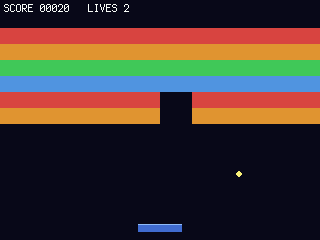 Pointa. Měníme jen ty dvě bitmapy: míček se stane kulatým terčíkem (
shp.circle) a pádlo dostane vícebarevnou Bitmap s odleskem. Porovnej tenhle soubor se step 8: celá herní smyčka je bajt po bajtu identická. Sprite je jedno, jestli je jeho bitmapa obdélník, generovaný tvar, nebo PNG, které jsi naimportoval v editoru.
Uvidíš: stejnou hru s kulatým míčkem a stínovaným pádlem. Zkus si: načíst PNG přes cestu editor → scéna a přiřadit ho jako bitmapu.
24 collapsed lines
# Bounce -- step 9: from rectangles to sprites (the orthogonality lesson).## What you learn: art is independent of mechanics. We built a COMPLETE game out of# coloured rectangles. To make it look like a real game we change ONLY the bitmaps:# the ball becomes a round disc (shp.circle) and the paddle gets a multi-colour# bitmap with a highlight stripe. Compare this file to step 8: the entire game loop# -- movement, bouncing, collision, scoring, particles -- is byte-for-byte the same.# A Sprite doesn't care whether its bitmap is a rectangle, a generated shape, or a# PNG you imported in the editor. (To use real PNG art: draw/import it in the editor,# export a scene, and load it with picogame_scene -- see tutorials/README.md.)## New vs step 8: only the two bitmap definitions changed (ball + paddle art).## Run: python3 sim/run.py tutorials/01-bounce/step9_sprites.py --shot /tmp/s9.png
import arrayimport terminalioimport picogame as pgimport picogame_gameimport picogame_inputimport picogame_clockimport picogame_shapes as shpimport picogame_ui as ui
W, H = picogame_game.screen() # never hardcode: the same game runs at 240x240 and 640x480PADDLE_W, PADDLE_H = 44, 8BALL = 6BRICK_W, BRICK_H = 32, 16COLS, ROWS = W // BRICK_W, 6BRICK_Y = 28BACKGROUND = pg.rgb565(8, 10, 24)
scene, _, _ = picogame_game.setup(background=BACKGROUND)btn = picogame_input.Buttons()clock = picogame_clock.Clock(40)
try: import picogame_audio audio = picogame_audio.Audio() blip = picogame_audio.tone(660, 35) lose = picogame_audio.tone(150, 160) # low tone when a ball is missedexcept Exception: audio = None blip = lose = None
def paddle_art(w, h): """A 2-colour paddle bitmap: blue body + a lighter highlight on the top row. This is what 'real sprite art' is -- a PAL8 bitmap with more than one colour.""" palette = array.array("H", [pg.rgb565(0, 0, 0), pg.rgb565(70, 110, 210), pg.rgb565(150, 190, 255)]) data = bytearray(b"\x01" * (w * h)) # index 1 = body for x in range(w): data[x] = 2 # index 2 = highlight on the top row return pg.Bitmap(data, w, h, format=pg.PAL8, palette=palette, frames=1, stride=w, transparent=0)
brick_colors = [pg.rgb565(220, 70, 70), pg.rgb565(230, 150, 50), pg.rgb565(70, 200, 90), pg.rgb565(80, 150, 230)]14 collapsed lines
bricks = pg.Tilemap(shp.tileset_colors(BRICK_W, BRICK_H, brick_colors), COLS, ROWS)bricks.move(0, BRICK_Y)
def build_wall(): global bricks_left for tile_y in range(ROWS): for tile_x in range(COLS): bricks.set_tile(tile_x, tile_y, 1 + (tile_y % 4)) bricks_left = COLS * ROWS
build_wall()# >>> the ONLY change from step 8: art instead of plain rectangles <<<paddle = pg.Sprite(paddle_art(PADDLE_W, PADDLE_H), (W - PADDLE_W) // 2, H - 16)ball = pg.Sprite(shp.circle(BALL, pg.rgb565(255, 240, 120)), W // 2, H // 2)70 collapsed lines
# >>> everything below is identical to step 8 <<<particles = pg.Particles(96, size=2, gravity=0.12)scene.add(bricks)scene.add(particles)scene.add(paddle)scene.add(ball)hud = ui.SceneLabel(scene, pg, terminalio.FONT, 4, 2, pg.rgb565(255, 255, 255), BACKGROUND)
velocity_x, velocity_y = 2.4, -2.6score = 0lives = 3
def serve(): global velocity_x, velocity_y ball.move(W // 2, H // 2) velocity_x, velocity_y = 2.4, -2.6
while True: btn.poll() delta_x = btn.is_pressed(btn.RIGHT) - btn.is_pressed(btn.LEFT) if delta_x: paddle.move(max(0, min(W - PADDLE_W, paddle.x + delta_x * 5)), paddle.y)
ball.fx += velocity_x ball.fy += velocity_y if ball.fx < 0: ball.fx = 0; velocity_x = -velocity_x elif ball.fx > W - BALL: ball.fx = W - BALL; velocity_x = -velocity_x if ball.fy < 0: ball.fy = 0; velocity_y = -velocity_y
if velocity_y > 0 and pg.collide(ball.x, ball.y, ball.x + BALL, ball.y + BALL, paddle.x, paddle.y, paddle.x + PADDLE_W, paddle.y + PADDLE_H): velocity_y = -abs(velocity_y) velocity_x += (ball.x + BALL / 2 - (paddle.x + PADDLE_W / 2)) * 0.06
center_x, center_y = ball.x + BALL // 2, ball.y + BALL // 2 tile_x, tile_y = center_x // BRICK_W, (center_y - BRICK_Y) // BRICK_H if 0 <= tile_x < COLS and 0 <= tile_y < ROWS: cell = bricks.get_tile(tile_x, tile_y) if cell: bricks.set_tile(tile_x, tile_y, 0) bricks_left -= 1 score += 10 velocity_y = -velocity_y particles.emit(tile_x * BRICK_W + BRICK_W // 2, BRICK_Y + tile_y * BRICK_H + BRICK_H // 2, 14, 3, 22, brick_colors[cell - 1]) if audio: audio.sfx(blip) if bricks_left == 0: build_wall() serve()
if ball.fy > H: lives -= 1 if audio: audio.sfx(lose) # low tone on a missed ball if lives <= 0: lives = 3 score = 0 build_wall() serve()
particles.tick() hud.set("SCORE %05d LIVES %d" % (score, lives)) scene.refresh() clock.tick()Kam dál: 02-starship (poolování, rotace, střílení, stavový automat), nebo skoč rovnou na webový editor a picogame_scene, ať stavíš úrovně jako data místo ručního psaní. Podívat se můžeš i na formát scény nebo na sourozenecký 03-quest.